
Corporate NPS Account Shifting : A Step-by-Step Guide

Already have an NPS account and your company has just rolled out Corporate NPS? You do not open a new account — you shift your existing PRAN under your employer, keep every rupee and every year of history, and start getting the employer contribution and the 80CCD(2) deduction on top. On PensionBox the whole thing is digital and takes a few minutes; only a CRA change (if your account sits with a different CRA than your company) adds up to 7 working days.
Company has not rolled it out yet? Your HR can set up Corporate NPS in a few days, at no cost to the business.
What happens when you shift an existing NPS account to Corporate NPS
| Before shifting | After shifting | |
|---|---|---|
| PRAN | Your 12-digit PRAN | Same PRAN — nothing changes |
| Corpus and history | Whatever you have built | Carried over in full |
| Who contributes | Only you | You + your employer, through payroll |
| Tax benefit | 80CCD(1) / 80CCD(1B) (old regime) | Plus 80CCD(2) on the employer's share — up to 10% of basic + DA (old regime) or 14% (new regime) |
| Time taken | — | Minutes if your CRA matches your company's; up to 7 working days if a CRA shift is needed |
| Cost | — | Free on PensionBox |
Step 1: Sign up through your employer's link
Open the link your HR shared
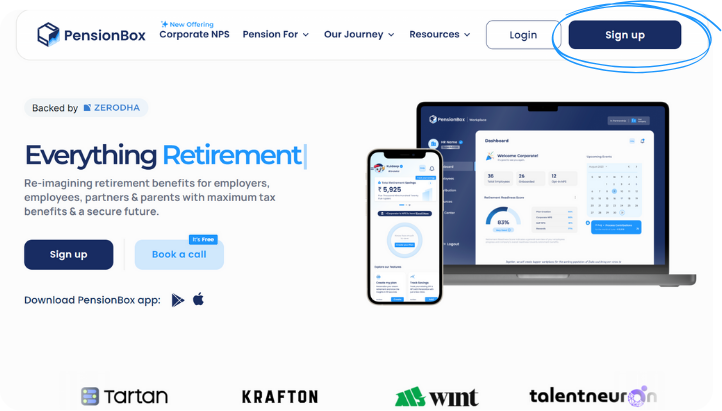
Start by clicking the sign-up link shared by your HR or company. On the portal, click Sign Up.
Verify your mobile number
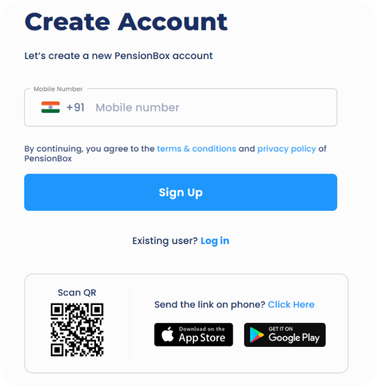
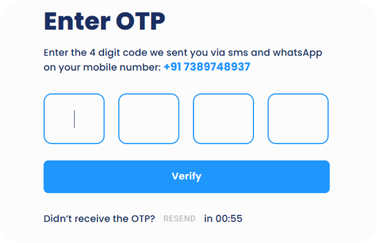
Enter your mobile number — you get a one-time password (OTP) on WhatsApp and SMS. Enter it to continue.
Step 2: Accept your Corporate NPS invitation
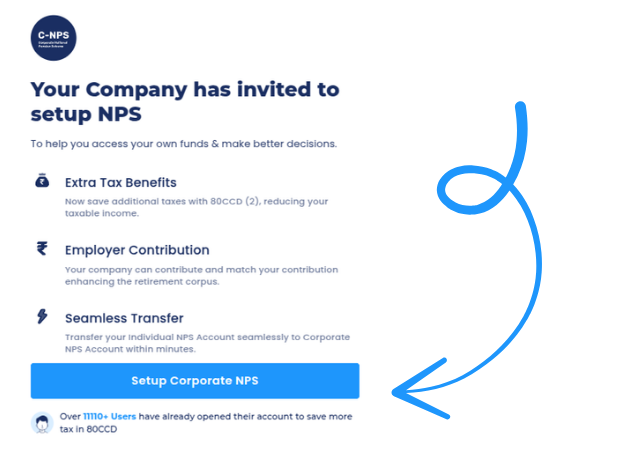
After signing up you see a pop-up invitation from your employer to set up your Corporate NPS (CNPS) account. Click Setup Corporate NPS.
Step 3: Shift your existing account
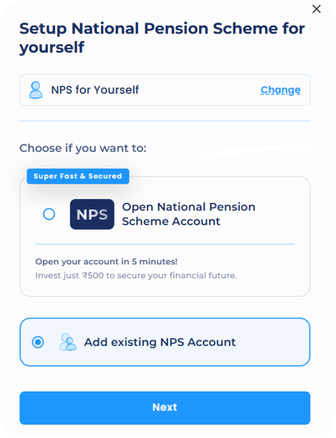
Choose "Add Existing Account"
Add Existing Account is pre-selected. Click Next.
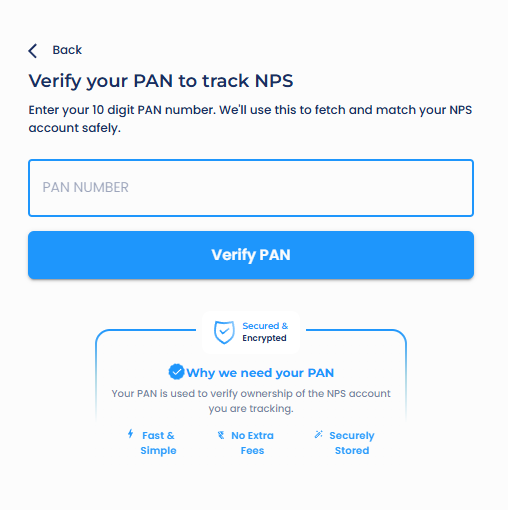
Verify your PAN
Enter your PAN — this confirms account ownership and locates your existing NPS account.
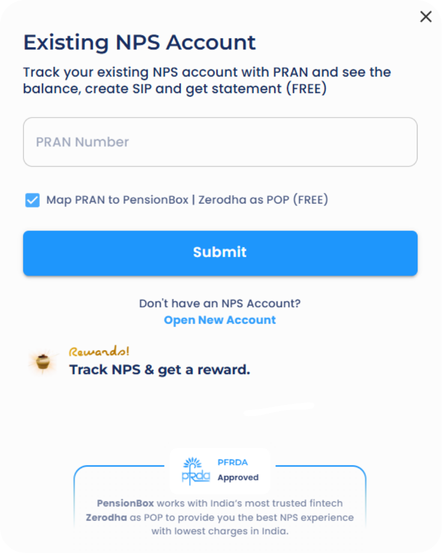
Enter your PRAN
Enter your 12-digit PRAN (Permanent Retirement Account Number).
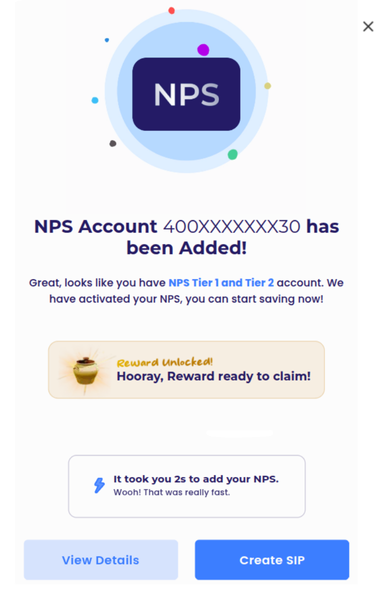
Done — if your CRA already matches
If your account is on the same CRA as your company, the shift completes here. Your NPS now sits under your employer on PensionBox; set your contribution using the contribution setup guide.
Step 4: Shift your CRA (only if it differs from your company's)
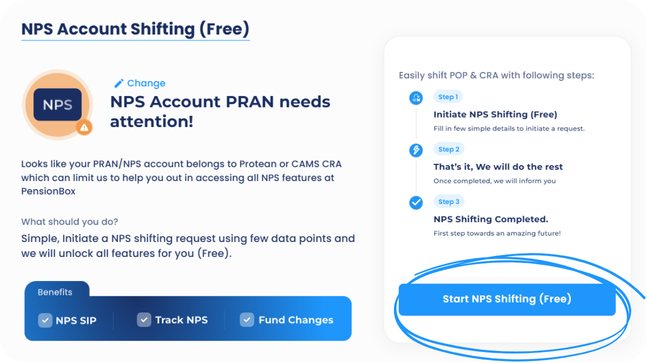
Every NPS account lives with a Central Recordkeeping Agency — KFintech, Protean (NSDL) or CAMS. If yours is different from the one your company uses (for example, you are on Protean and the company is on KFintech), you shift the CRA first. PensionBox does this for you at no charge.
Start the CRA shift
Click Start NPS Shifting Free.
Select your account type
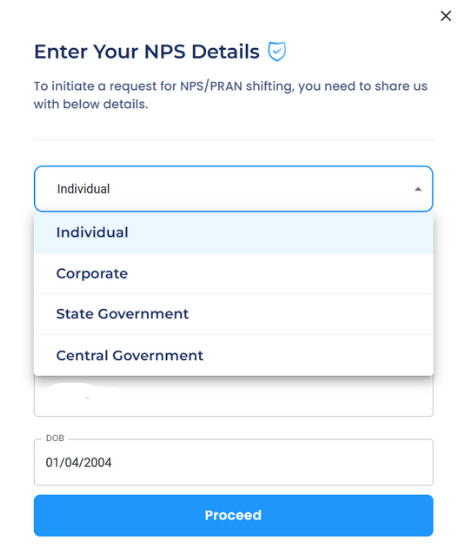
Choose Corporate, Individual or Other Category — whatever your existing account is.
Enter your POP-SP registration number
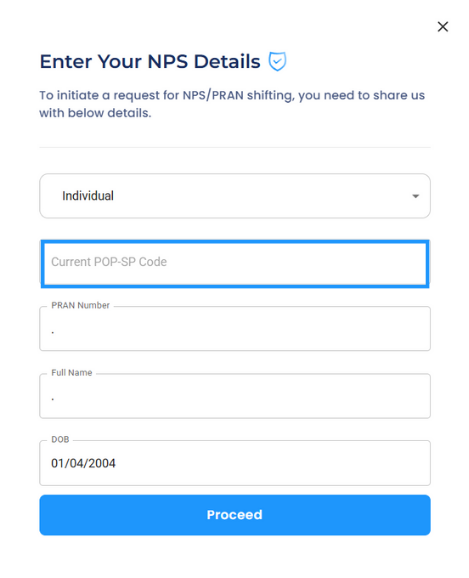
Enter the 7-digit POP-SP registration number from your last NPS transaction statement or email, fill the basic details and click Proceed.
CRA shift submitted
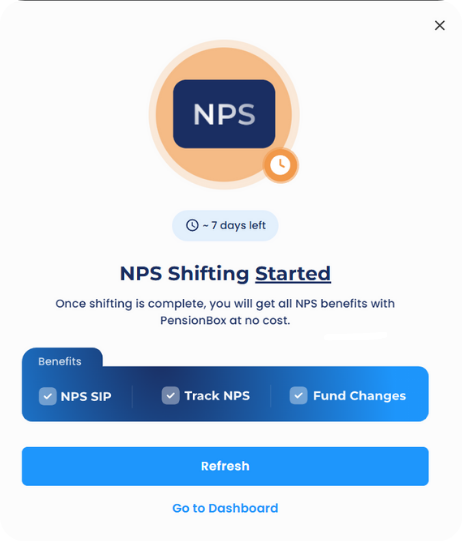
Your request is submitted. The transfer takes up to 7 working days; PensionBox tracks it and tells you when it is done. Then set your contribution using the contribution setup guide.
What you get once the shift is complete
- Employer contribution credited to the same PRAN every month through payroll.
- Extra tax deduction under 80CCD(2) (Section 124 of the Income-tax Act, 2025 from FY 2026-27) — over and above 80C and 80CCD(1B).
- One dashboard on PensionBox for contributions, statements and fund choice.
- If you change jobs later, the account converts back to Individual or moves to the next employer — the corpus never depends on the company.
Curious what the employer's share grows into by 60? Run it in the NPS calculator.
FAQs
Do I lose my old NPS contributions when I shift to Corporate NPS?
No. The PRAN, corpus, fund allocation and contribution history all carry over unchanged. Shifting only changes the sector your account is tagged to.
What if I do not know my PRAN or POP-SP number?
Both are on your NPS transaction statement (emailed by your CRA) and on the PRAN card. PensionBox also locates the account from your PAN in Step 3.
How long does the shift take?
Same-CRA shift: minutes. Different CRA: up to 7 working days for the CRA transfer, after which the corporate tagging completes automatically.
Is there any charge for shifting?
No. CRA shifting and inter-sector shifting on PensionBox are free for employees.
Can I keep contributing on my own after the shift?
Yes. You still hold one PRAN; voluntary contributions go into the same Tier I account alongside your employer's, and you claim them under 80CCD(1)/(1B) in the old regime.
Want Corporate NPS at your workplace? It cuts both your tax and your employer's — at no extra cost to them. Show your HR PensionBox. See how Corporate NPS works →
2,00,000+ Stories
Hope they inspires you as well.

their NPS stories for a golden retirement.







PensionBox simplifies the National Pension System(NPS), the government's pension scheme for private employees both for retail users and HRs/companies.
If you don’t have an NPS account, you can simply open your pension account within 2 minutes and if you have NPS PRAN already, you will be able track, invest and manage everything free of charge with best user experience.
We never touch or hold your money directly, your investments go safely to your chosen pension fund through approved channels.
We are built with Zerodha as POP , ensuring transparency, data security, and peace of mind. Your retirement savings are protected by regulation and secured by technology.
That’s why, PensionBox brings transparency, zero charges, timely support and freedom to select any pension fund so that you get the best experience investing in NPS & be better future ready.
That’s not it, we help you & your company together to maximise contribution and tax savings with minimal charges & best user experience.
If you are an existing zerodha user then you get a fast login or sign up using kite ID.
Once you are onboarded with kite ID, you get free access to
- Open NPS in 2 minutes
- Track existing NPS
- POP shift or CRA shifting
- Invest in one time or create SIP in NPS
- Withdraw NPS requests & instant withdraw tier 2
- Create your dream retirement plan
- Open NPS Vatsalya for your kid
- Share with HR (To unlock more tax benefits)
- Employer Contribution:
- Contributions made by your employer to your NPS account are tax-free up to 14% of your basic salary under Section 80CCD(2). Do connect us with your HR to enable this for you.
Tax Benefits in Old Tax Regime - Self-Contribution:
- Deduction up to ₹1.5 lakh under Section 80C.
- Additional deduction of ₹50,000 under Section 80CCD(1B) — exclusive to NPS investments!
- This allows you to claim a total deduction of up to ₹2 lakh every year on your NPS contributions.
- Employer Contribution:
- Contributions made by your employer to your NPS account are tax-free up to 10% of your basic salary (Basic + DA) under Section 80CCD(2). Do connect us with your HR to enable this for you.
- This is over and above your personal deduction limits, giving you extra tax efficiency.
Feel free to book a free call to learn more about NPS, NPS Vatsalya, Corporate NPS & PensionBox or contact the support team.